
What Is a Court Docket in Forsyth County
A docket is a list. In Forsyth County, the docket is built into each case file in the eCourts system, where it is called the Register of Actions. It tracks every event in date order: the filings, the motions, the hearings, the orders, the continuances, and the final disposition. Think of it as the timeline of a case. The full case record holds the actual documents. The docket just shows what happened and when. Many people only need the docket to follow a case or to confirm a court date.
The word docket gets used two ways, and the difference matters. The Register of Actions is the per-case event list. A court calendar, sometimes also called a docket, is the daily list of cases set for a given courtroom and judge. The eCourts Portal separates these. Smart Search opens the Register of Actions for a case. Search Hearings pulls the calendar view by name, county, judicial officer, or courtroom. Knowing which one you need saves time.
A few terms show up on almost every Forsyth County docket. The short glossary below covers the ones that trip people up most.
- Register of Actions
- The chronological list of filings, hearings, and court events in a single case.
- Disposition
- The outcome of a charge, claim, or case.
- Continuance
- A postponement of a hearing or trial to a later date.
- Judicial officer
- The judge or magistrate assigned to hear the matter.
How to Find Forsyth County Dockets Online
Forsyth County dockets are found through the statewide North Carolina eCourts Portal. The portal landing page offers Smart Search for case records, Search Hearings for court dates, plus Make Payments and NC Judgment Search. For a case docket, use Smart Search and open the Register of Actions. For a court date or calendar, use Search Hearings. Anonymous users must clear a CAPTCHA check, and Tyler reissues that challenge every five minutes. A look at the official portal training resources shows how the tools are described, from the Portal Training and Resources page.
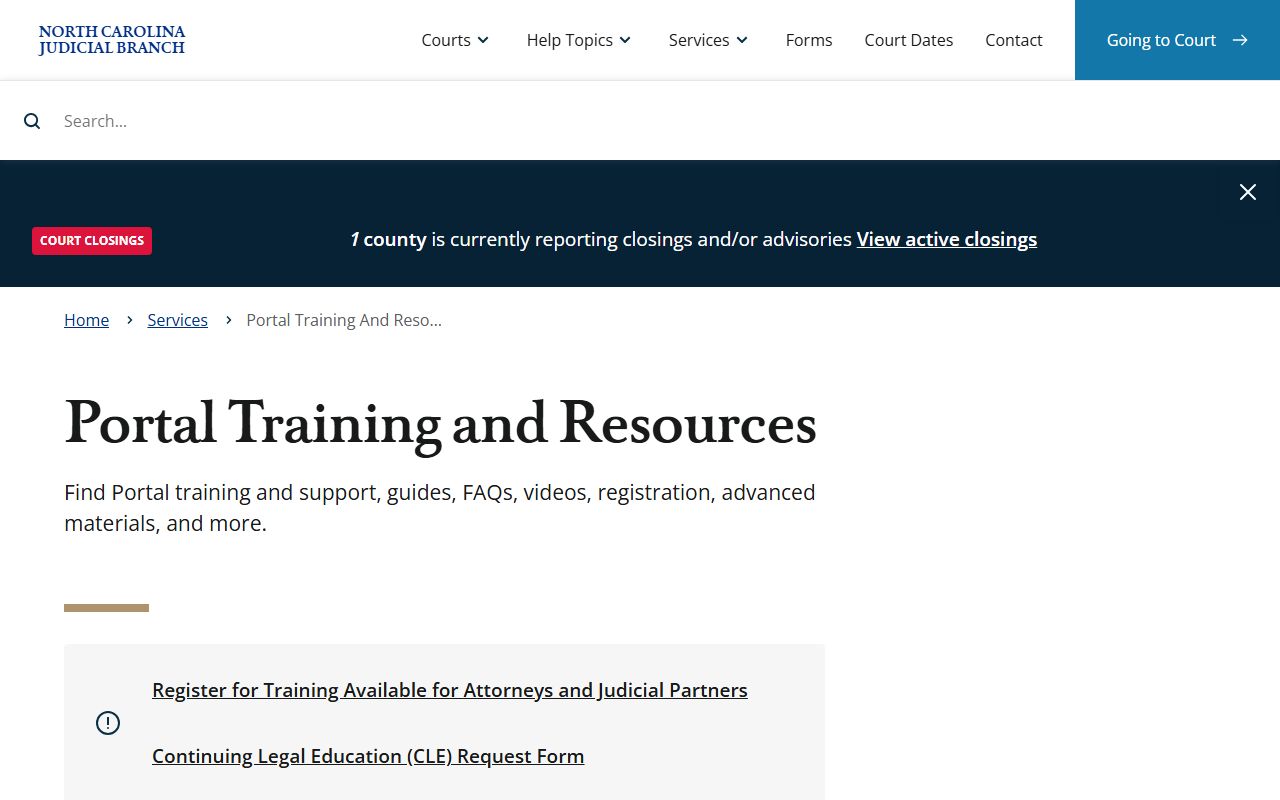
That training page is the best official guide before you start a Forsyth County court docket search. It explains that Smart Search returns a detailed, near real-time Case Summary and should be paired with NC Judgment Search for the fullest listing.
You can search a docket several ways. The portal accepts a party name, a record number, a citation number, an attorney bar number, an attorney name, a business name, a case cross-reference number, or a nickname. Search Hearings adds judicial officer and courtroom as search options. The exact case number is the cleanest key when you have it. A common name can return many hits, so use the date of birth or filing date filters to narrow the list down to the right Forsyth County case.
- Open the eCourts Portal or the Forsyth County Judicial Branch page.
- Pick Smart Search for a case docket, or Search Hearings for a court date or calendar.
- Enter the case number, or search by party name, business name, attorney name, citation number, judicial officer, or courtroom.
- Set the location filter to Forsyth County and review the Register of Actions or hearing list in date order.
Sample Forsyth County Docket Entry
Each line in a Register of Actions is a single event. Read across the row and you get the date, what happened, who did it, and whether a document is attached. Some entries link to a filed document, but visibility depends on case type, user role, and confidentiality rules. The table below breaks down a typical docket entry so the lines make sense at a glance.
| Field | What It Shows |
|---|---|
| Entry Date | The date the filing, hearing, order, or continuance was logged. |
| Event Type | The action, such as a motion filed, hearing held, order entered, or case disposed. |
| Party Filing | The plaintiff, defendant, petitioner, respondent, attorney, or state that took the action. |
| Hearing Details | Date, time, courtroom, and judicial officer for a scheduled hearing. |
| Disposition | The outcome, such as dismissed, disposed by plea, judgment entered, or not guilty. |
| Document Link | A link to the filed document when access rules allow it. |
Courts That Publish Dockets in Forsyth County
Forsyth County has no separate local court system. It is part of North Carolina's General Court of Justice, so all docket data flows into the same statewide eCourts system. Forsyth sits in Superior Court District 31 and District Court District 31. Both trial divisions log dockets into the portal. The Register of Deeds and federal courts keep their own records and are not part of this portal.
- Superior Court (District 31) - felonies, larger civil cases, special proceedings, and appeals from District Court.
- District Court (District 31) - misdemeanors, infractions, traffic, family, juvenile, and small claims.
- Small Claims before magistrates - heard inside District Court without a jury, with dockets in the same system.
Criminal and civil dockets read a little differently. A criminal docket may move from a warrant or citation to a first appearance, then to a plea, a trial, and a judgment, with bond and probation entries along the way. A civil docket tends to run from the complaint and summons through motions, hearings, and a final judgment. Family dockets, such as divorce or custody, sit in District Court and may hide sensitive child, financial, or medical material even when the case event itself is public.
Not every docket is online. North Carolina finished its eCourts rollout in all 100 counties on October 13, 2025, which moved Forsyth from older legacy systems to the portal. Older paper-era dockets may not be searchable online and may need a direct clerk request. Sealed, expunged, juvenile, and adoption matters never appear in the public docket at all.
Forsyth County Docket vs. Full Case Record
The docket and the full case record are not the same thing. The docket is a list of events. The full file holds the actual motions, exhibits, orders, and judgments. A docket tells you a motion was filed on a date. The full record lets you read that motion. For most quick lookups, the docket is enough. For legal review or evidence, you need the documents, and certified copies come from the clerk. The comparison below sums it up.
| Docket | Full Case Record | |
|---|---|---|
| Format | List of dated entries | Full filed documents |
| Where | eCourts Smart Search | Clerk of Superior Court |
| Access | Often online and free | May need a fee or a visit |
| Use | Track case progress and dates | Legal review and certified copies |
One caveat applies to both. The Judicial Branch states that the public portal is not the official court record. It gives internet access to public docket entries for public case types. For anything official, use the docket to find the file number and parties, then ask the Clerk of Superior Court for a certified document.
How to Read a Forsyth County Docket
Dockets use shorthand that can confuse a first-time reader. A charge is not a conviction. A disposition is the outcome of a charge or claim. A continuance is just a postponement, not a ruling. The Register of Actions is the running list of everything filed. Criminal entries may show a plea, a verdict, a sentence, and probation terms. Civil entries may show a judgment amount and whether it was satisfied.
Dispositions carry weight, so read them with care. "Dismissed with prejudice" means the matter generally cannot be refiled. "Dismissed without prejudice" leaves the door open. "Disposed by plea" means the defendant entered a plea. A criminal docket may move from charge to indictment to plea to judgment. When a line looks unclear, the safe move is to call the clerk and confirm before drawing a conclusion. An arrest shown elsewhere does not prove guilt in court.
Continuances are common and easy to misread. A continuance just pushes a hearing to a new date. It is not a ruling and not a sign the case is over. On a busy criminal docket, the same case may show several continuances before it reaches a plea or trial. Financial lines matter too. A civil docket may show a judgment amount, then a later entry marking that judgment satisfied or canceled. A criminal docket may list fines, costs, restitution, and bond status. Read the latest dated entry to see where a case stands right now.
Names appear in set roles. The plaintiff or the state starts the case. The defendant is the party sued or charged. In family and estate matters you will see petitioner and respondent instead. Bondsmen are recorded as businesses in the system, so a surety search runs as a business-name search rather than a person search. When two people share a name, the date of birth on a criminal docket is the fastest way to tell them apart.
Note: Smart Search is near real-time, but timing varies, so older or freshly filed entries may take time to appear in a Forsyth County docket search.